


How to Make a Video Essay: Match Every Claim to a Visual

by ByThen Editorial
October 23, 2026
You have an opinion you’d stand behind. Saying it takes one sentence. Earning someone’s agreement takes proof they can watch.
A video essay makes an argument with footage as its evidence. That is what separates it from a review or a recap. When the words and the picture disagree, the argument loses.
So the craft comes down to one habit. Give every claim a visual that earns it. The eight steps below build that habit in, from your first question to the final export.
What is a Video Essay?
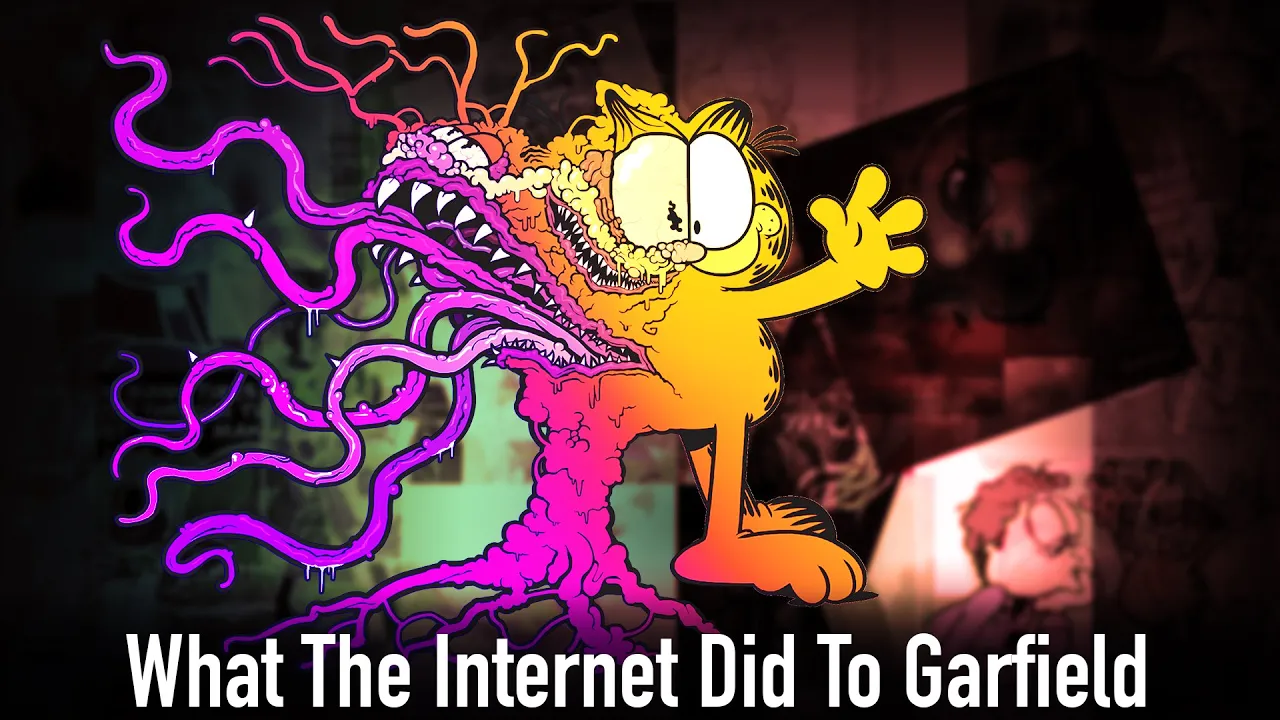
A video essay is an essay presented as a video instead of written text. It blends narration, footage, music, and on-screen text to explore one idea.
Like a written essay, it can hold an introduction, an argument, supporting evidence, and a conclusion. The difference is where the evidence lives. In a video essay, most of it is on screen.
Common types include analytical, investigative or speculative, and personal essays. Personal essays often drop strict structure and read more like a letter or a diary entry.
Video Essay Structure
Start with the structure you already know. A video essay opens with an introduction, makes a series of logical points, and ends with a strong conclusion.
For arguments, the TREE model gives that structure a spine. It stands for a thesis supported by reasons, which rest on evidence and examples.
| Layer | Its job | Where it shows up in a video essay |
|---|---|---|
| Thesis | The claim you defend | The intro, and often the title |
| Reasons | Why the thesis holds | One section each |
| Evidence and examples | What backs each reason | Mostly on screen |
A non-linear structure is not wrong. Still, the structure has to work for your audience, not only for you.
How to Make a Video Essay in 8 Steps
1. Choose a question and a defensible thesis
Start with a question you actually want answered. Then commit to an answer someone could reasonably argue against. That answer is your thesis.
A strong thesis can fit in a title. Descript points to one essay that does exactly that: "Why Snowpiercer is a sequel to Willy Wonka and the Chocolate Factory". A good thesis also stays narrow. Aim for one strong, well-supported point instead of covering everything.
Keep a running log of ideas you might cover someday. Your next thesis often starts there.
Quick test: if nobody could disagree with it, you have a topic. You don't have a thesis yet.
2. Research evidence and counterarguments
Collect everything in one research document. Paste the source link next to every note so you can credit it later. If you are analyzing a film or show, log timecodes and screenshots of the moments you plan to show.
Then hunt for the best case against your thesis. Write it down in its strongest form. If you can't answer it, rework the thesis. If you can, it becomes one of your best sections.
Know when to stop. Skipping research reads as shallow, but research alone makes a video feel sterile.
3. Plan the argument and section order
Give each reason its own section. Order the sections so each one sets up the next. Save your strongest point for last, so the body builds toward a peak. Place the counterargument near the end, once your own case is on screen.
Video essay outline template
- Hook: a moment, image, or question that opens the problem
- Thesis: your answer in one sentence
- Reason 1, with its evidence
- Reason 2, with its evidence
- Reason 3 (your strongest), with its evidence
- Counterargument and your response
- Conclusion: what the viewer should now see differently
4. Match each claim to useful visual evidence
This step decides whether your essay persuades or just plays. Go through your outline line by line. Label each claim by type, then pick the visual that supports that type best.
| Claim type | Example claim (illustrative) | Best visual evidence |
|---|---|---|
| Factual | "Ticket sales dropped that year" | Source document, data chart, archival footage |
| Interpretive | "This shot isolates the main character" | The clip itself, with on-screen callouts |
| Comparative | "The remake slows the original's pacing" | Split screen or back-to-back clips |
| Abstract or emotional | "Nostalgia feels like safety" | Illustrative B-roll, motion graphics |
| Process | "Here's how a recommendation feed ranks videos" | Diagram, animation, screen recording |
The example claims show the format only. They are not real findings.
Every visual should illustrate your point, not repeat what you just said. Draw from the full range: on-screen text like key quotes and citations, talking heads, found footage, stock footage, and archival footage.
Then write it into a two-column script. One column holds what you say. The other holds what you show.
When no footage exists
Some claims have nothing to film. An abstract idea, a moment before cameras existed, a "what if" scenario. Illustrative visuals carry these well. Keep one rule close: an illustration supports a claim, but it never proves one. Factual claims still need a real source on screen.
This is where ByThen fits. Paste your finished script, and ByThen generates visuals scene by scene, each one made in context with your narration. Your argument and your sources stay yours. ByThen fills the scenes your footage can't.
If those generated visuals look realistic, YouTube may require a disclosure. Step 7 covers when.
5. Write narration that connects the sections
Write narration for the ear. Keep it concise, use active verbs, and sound like a person talking. Watch for lines that trip the tongue. A run of "s" sounds, for example, makes copy harder to read aloud.
The joins matter most. Bridge lines like "But here's the twist" carry the viewer from one section into the next. End each section on a question the next one answers.
Read the full script out loud before you record. Every stumble you hear is a line to rewrite.
6. Plan scenes and assemble the rough cut
Turn your two-column script into a storyboard. It maps what is on screen, the text, the media, and the transitions between shots. A storyboard also saves time in editing and post-production.
Write the script first, then gather clips to support it. For the rough cut, lay down the narration track first. Then cut visuals to fit it.
Review the storyboard and don't polish anything yet. The rough cut tests one thing: does the argument hold in sequence? Gear matters less than you think here. Good audio and natural delivery count most.
7. Edit for clarity, rhythm, and attribution
Clarity
Prioritize cuts that’s relevant to your narration. Cut anything that doesn't serve the argument, even the parts you love.
Rhythm
Don't hold any one visual for too long. Change the shot when the idea changes.
Attribution
Credit every source you used. The links you saved in step 2 make this fast.
Rights
Most video essays borrow someone else's work. A film scene, a game clip, a news segment. You can sometimes use that material without asking permission, thanks to a rule called fair use.
Fair use is part of US copyright law. It allows limited use of copyrighted material for purposes like commentary, criticism, research, teaching, and news reporting. That makes it central to video essays, since breaking down someone else's work is often the whole point. Adding your own analysis to a clip makes a stronger case than simply replaying it.
There is no fixed formula, and only a court makes the final call. But courts judge fair use by four factors, so you can use those same four as guardrails while you edit. Run each clip you borrow through the table below.
| Factor | What the court asks | What helps your case |
|---|---|---|
| Purpose | Why are you using it? | Adding new meaning or commentary, not just copying |
| Nature of the original | What kind of work is it? | Factual material over purely fictional work |
| Amount | How much did you take? | Short excerpts, not the most important part of the work |
| Market effect | Does your video hurt the original's sales? | Your video doesn't replace watching the original |
Disclosure
YouTube requires creators to disclose altered or synthetic content when it looks realistic. Clearly unrealistic content and minor edits to realistic content don't need it. Disclosing won't limit your audience or your eligibility to earn money.
8. Review the complete video essay before export
Watch it start to finish in one sitting. Sharing the cut with someone else helps too. A fresh viewer spots weak transitions and missing visuals you've stopped noticing. Then run this checklist:
- Every claim has a visual that supports it
- Every factual claim shows or names a real source
- The counterargument gets a real answer
- No visual lingers past its point
- Every source is credited
- Realistic AI-generated visuals are disclosed
- Captions are on
Before you go public, upload the video as unlisted. That gives you time to resolve copyright claims before it goes live.
Start with Your Weakest Scene
The eight steps run as one loop. Pick a thesis. Find the evidence. Then make every claim earn its place on screen.
Open your current draft and find the claim with no visual behind it. Fix that one first. That gap is where your argument is thinnest.
Got a finished script but no footage for half of it?
FAQ
How long should a video essay be? expand_more
There is no set rule. Some run for hours. One video essay on plagiarism runs nearly four hours and has passed 39 million views. Let the argument set the length.
How do you write a video essay script? expand_more
Start with a clear thesis and an outline, then draft in a conversational tone. Use a two-column format so every line of narration has a planned visual.
What's the difference between a video essay and a documentary? expand_more
A video essay is more analytical than a typical film or documentary. Its job is to argue or analyze, with footage serving that argument.
Can I use movie clips in a video essay? expand_more
Possibly. Commentary and criticism are common examples of fair use, but courts decide each case on its own facts. Your video can still receive a Content ID claim. Step 7 covers what to do.
Do I need to disclose AI-generated visuals? expand_more
Only when they look realistic. YouTube doesn't require disclosure for clearly unrealistic content, such as animation. Realistic synthetic content needs the "altered content" setting in YouTube Studio.
Sources & Citations
keyboard_arrow_up
- Descript. (2026). How to Make a Video Essay: Thesis to Final Cut. Step-by-step guide to argument-driven video essays, covering thesis, audience, research, two-column scripting, recording, and editing.
- Edith Cowan University Library. (n.d.). How to do a video essay. University library guide to planning, storyboarding, collecting footage, and referencing sources in a video essay.
- Learning on Screen. (n.d.). Planning your video essay. Academic planning guide that introduces the TREE structure of thesis, reasons, evidence, and examples.
- Lessonbucket. (2026). Developing a video essay. Teaching resource on building a thesis, analyzing film, writing a video essay script, and editing in Premiere Pro.
- Macalester College. (n.d.). Video Essays 101. Digital Liberal Arts guide to the core elements of a video essay, from on-screen text to found and archival footage, plus storyboarding.
- Passionfruit. (2026). How To Make A Video Essay: A Guide From An Editor With Millions of Views. Editor's guide to motivation, research balance, and scriptwriting for long-form video essays.
- Podcastle. (n.d.). How to write a video essay script for beginners. Beginner guide to video essay types, script structure, conversational writing, and transitions between sections.
- Royal Roads University Library. (n.d.). Video essays and digital storytelling. Step-by-step library guide to creating video essays and digital stories for assignments.
- Skillshare. (n.d.). Creating the Perfect Video Essay for YouTube: From Start to Finish. YouTube creator class on idea logs, brainstorming, research documents, and audience-friendly structure.
- Storyblocks. (2025). The art of the video essay: why it works and how to do it well. Storyblocks blog guide to video essay structure, visual storytelling, and editing with purpose, updated in 2026.
- Teleprompter.com. (n.d.). What Is a Video Essay and How to Make It Work. Overview of the video essay's definition, origins, key elements, and creation roadmap.
- Thomas Flight. (n.d.). FAQ. Video essayist's FAQ covering gear, process, fair use, YouTube copyright claims, and uploading unlisted before publishing.
- Wikipedia. (n.d.). Video essay. Encyclopedia entry on the definition, history, and online growth of the video essay form.
- YouTube. (n.d.-a). Fair use on YouTube. Official YouTube Help guidance on the four factors of fair use, common fair use myths, and how Content ID claims interact with fair use.
- YouTube. (n.d.-b). Disclosing use of altered or synthetic content. Official YouTube Help guidance on when realistic altered or synthetic content must be disclosed, with examples that require and do not require disclosure.
- YouTube. (2024). How we're helping creators disclose altered or synthetic content. Official YouTube blog announcement of the disclosure tool in Creator Studio, with examples of content that does and does not need a label.